Staff Management

Your Staff, Coordinated

Replace the WhatsApp groups, emailed PDFs, and patchwork spreadsheets with a single purpose-built platform. Every shift, role, and communication in one place — before, during, and after your event.

The Reality

Event staffing is held together with string

Most events rely on a combination of group chats, email threads, and spreadsheets to coordinate dozens — or hundreds — of staff members. It works until it doesn't, and when it breaks, it breaks on the day that matters most.

73%
of event staff say they have missed a shift update due to communication breakdown

"We had three different WhatsApp groups, a shared Google Sheet, and still had two volunteers show up to the wrong venue."

— Anonymous Event Director

Sound familiar?

  • Scattered group chats mean no single source of truth — staff miss updates or get conflicting instructions
  • Last-minute schedule changes sent via email that half the team never opens
  • No-shows with no warning system — you find out when the shift is already empty
  • Manual check-in with paper lists that fall apart the moment someone is running late
  • Zero visibility into who is actually on-site and where at any given moment
A Better Way

From scattered to streamlined

Intrivium replaces the chaos of disconnected tools with a single staffing platform built for the speed and complexity of live events. Every role, shift, and conversation lives in one place.

✗ The Old Way

Scattered. Manual. Fragile.

  • WhatsApp groups for team communication — no audit trail, no visibility
  • Spreadsheets to track shifts and assignments that fall out of sync instantly
  • PDF role guides emailed before the event — outdated the moment anything changes
  • Paper clipboards for on-site check-in that nobody can read later
  • Post-event performance notes buried in email threads nobody can find
✓ With Intrivium

Organized. Connected. In Control.

  • In-app messaging with role-based channels — every conversation where it belongs
  • Live shift scheduler with drag-and-drop simplicity and real-time conflict detection
  • Role assignments and briefings delivered in-app the moment schedules publish
  • Digital check-in via the Intrivium mobile app — no paper, no guesswork
  • Real-time reporting and post-event summaries generated automatically
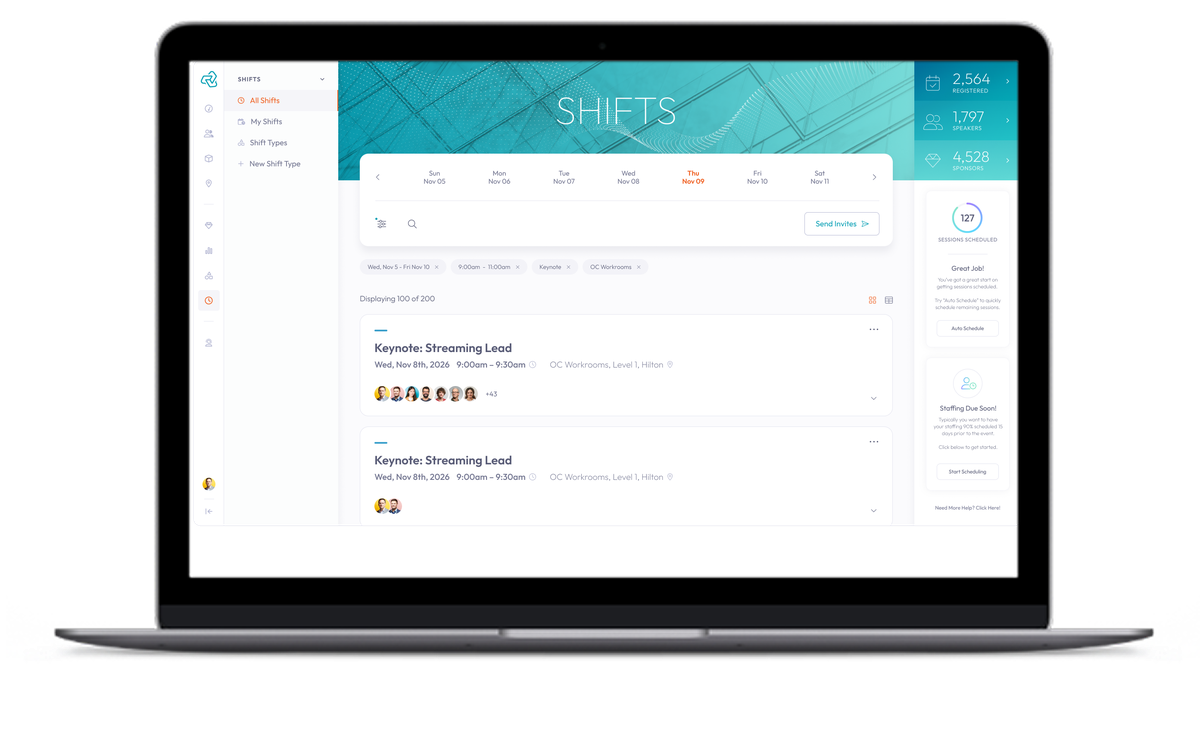
Shift Scheduling

Build and publish schedules in minutes

Drag roles into slots, set capacity limits, and publish to your entire team in a single click. No more rebuilding a spreadsheet from scratch every event.

  • Drag-and-drop scheduling across rooms, stages, and sessions
  • Role-based shift templates reusable across events
  • Real-time staff availability synced from their profiles
  • Automatic conflict detection flags double-bookings before they happen
Shift scheduling interface
How It Works

From hire to handoff in five steps

1
Add Staff
Upload your team or invite directly from the platform
2
Assign Shifts
Drag and drop to fill roles, rooms, and sessions
3
Notify Instantly
Push notifications and in-app alerts go out the moment schedules publish
4
Staff Check In
On-site check-in via the Intrivium mobile app, no paper required
5
Review & Report
Post-event attendance reports and performance summaries in one click
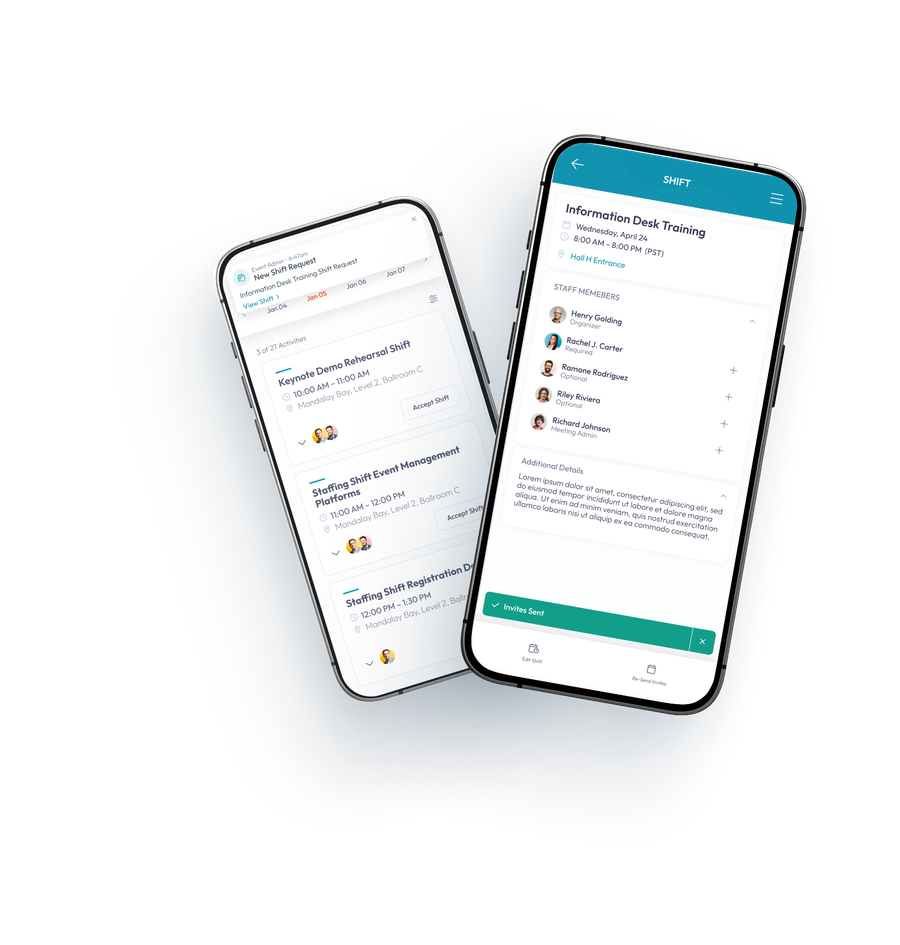
Mobile staff coordination
Mobile Coordination

Your team always knows where to be

The Intrivium mobile app puts every staff member's schedule, messages, and briefing materials in their pocket. No more "which WhatsApp was that in?" moments on event day.

  • Shift reminders pushed directly to each staff member's device
  • Real-time messaging with role-based and event-wide channels
  • Location-based check-in confirms staff are on-site and on time
  • Role-specific briefing materials delivered directly in the app
The Results

Fewer surprises, better events

73%
Reduction in missed shift notifications
vs. WhatsApp and email coordination
Faster schedule publishing
Compared to spreadsheet-based planning
100%
Digital check-in
No paper, no clipboards, no guesswork
Behind Every Great Event Is a Connected Team

Give Your Staff the Tools They Deserve

Stop patching together consumer apps and start running staffing the way it was meant to be run — organized, visible, and under control.